

You already know VR can be thrilling, but the Oculus Quest 2 is important because it made that thrill accessible to a lot more people. As a fully stand‑alone VR headset with improved display and easy setup, it removes many of the technical barriers that used to keep VR in hobbyist hands.
This review shows what matters for you — what feels great, what holds you back, and how the Quest 2 can fit into your life as a gaming device, media player and fitness tool.
TL;DR
|
Feature |
Verdict |
|---|---|
|
Ease of Use |
⭐️⭐️⭐️⭐️⭐️ – ⏱️ Setup in minutes with the smartphone app; controllers and interface are very beginner friendly |
|
Display & Visuals |
⭐️⭐️⭐️⭐️ – 🔍 Higher resolution than the original Quest gives noticeably clearer images, though peripheral clarity and FOV are still limited |
|
Performance |
⭐️⭐️⭐️⭐️ – ⚙️ Strong standalone performance for its generation; works even better when linked to a capable PC |
|
Content Library |
⭐️⭐️⭐️⭐️⭐️ – 🎮 Large, diverse catalog with backward compatibility and plenty of experiences beyond gaming |
|
Comfort & Battery |
⭐️⭐️⭐️ – 🎨 Comfortable for short sessions, but the stock strap and ~2‑hour battery can limit long play sessions |
Oculus Quest 2
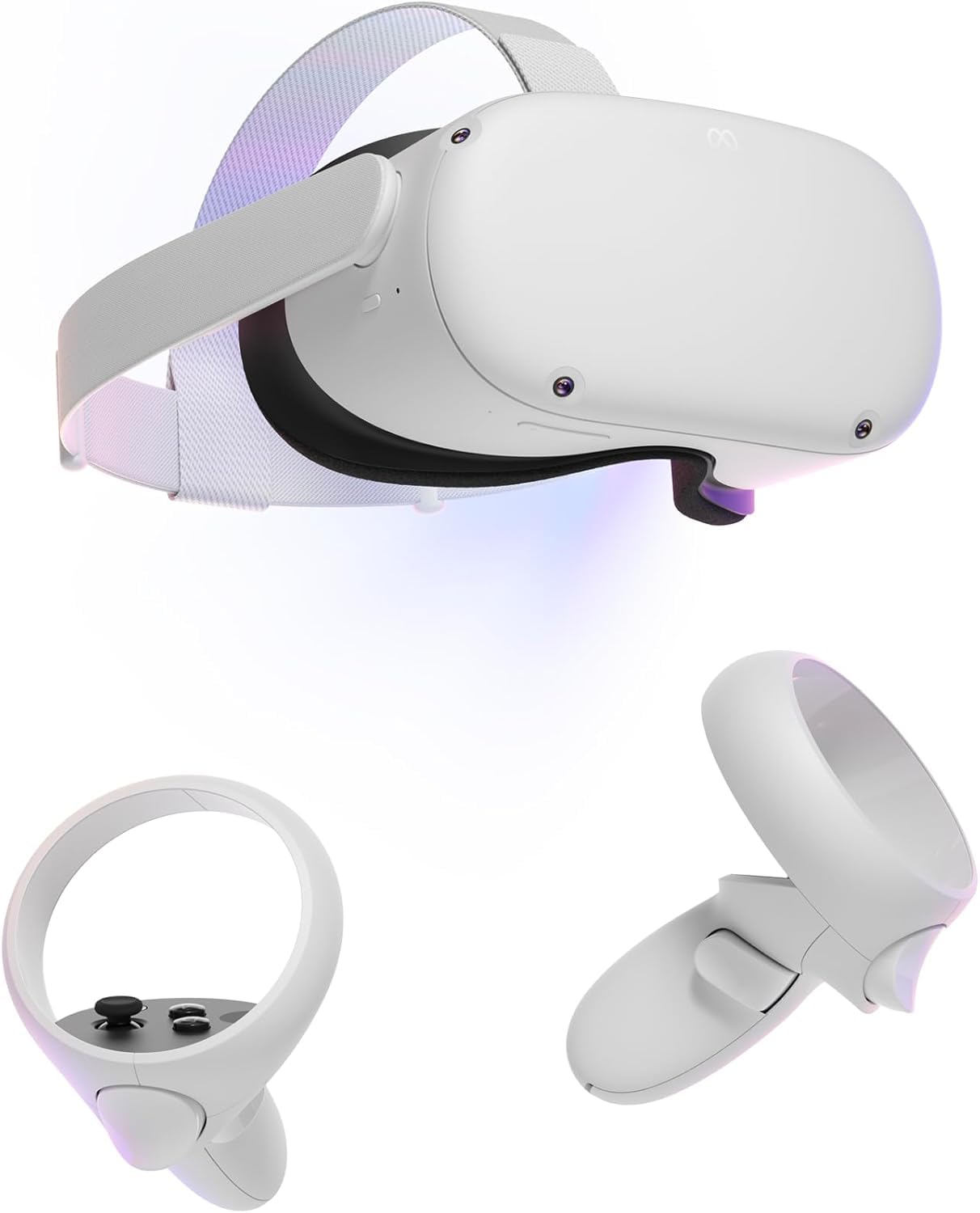
If you’re curious about VR and want something that mostly just works, the Quest 2 is that reliable first step. You put the headset on, follow a quick app-guided setup on your phone, and within minutes you’re in games, concert feeds, big-screen movie modes or fitness apps.
The display feels noticeably sharper than older models, the Touch controllers are comfortable and intuitive, and the built-in speakers give surprisingly good positional audio for casual media and games. You can stay completely standalone for most use cases or connect to a PC via Oculus Link or Air Link for SteamVR and Rift titles — Air Link users report the best experience with a strong Wi‑Fi connection.
Expect around two hours of battery life in typical play sessions, and know that some people upgrade the strap or add accessories to improve long-session comfort. If you want an accessible, well-supported gateway into VR that covers entertainment, exercise and PC gaming, the Quest 2 is an easy recommendation.
Pros and Cons
|
Pros |
Cons |
|---|---|
|
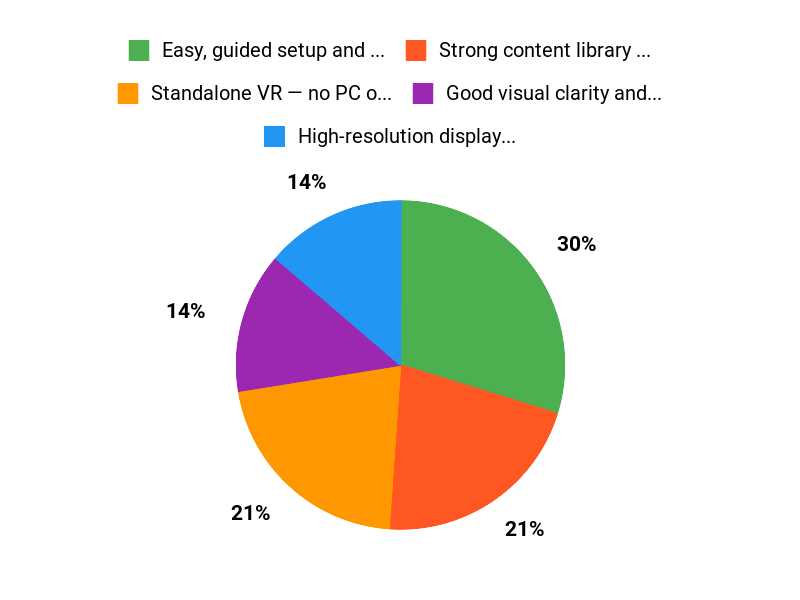
✅ Easy, guided setup and user-friendly interface |
❌ Battery life typically around two hours |
|
✅ Strong content library and backward compatibility |
❌ Can feel heavy after 1.5–2 hours for some users |
|
✅ Good visual clarity and responsive controllers |
❌ Requires a Meta account to set up |
|
✅ Works standalone or with PC via Link/Air Link |
❌ A few reports of freezing or defective units |
What People Say
Users often say setup is quick and kids or beginners pick it up fast; reviewers praise Air Link and controller ergonomics. Common caveats are battery life (~2 hours), occasional freezing reported by a few, and some prefer upgrading the strap for longer sessions.
Overall Sentiment: Positive

🗣️ Lucas Leal
Air Link worked well for me — reviewer reported stable PC streaming with minimum recommended internet speeds, praised the controllers for fitting naturally in the hand, and liked the six front cameras for reliable passthrough and guardian tracking. Mentioned about 2 hours battery and called it a great intro headset when used with a capable PC.
🗣️ Max
Took a few weeks for vision to settle in but overall surprised by how versatile it is: great for movies and streaming, can run PC VR with the Link cable, and the library of apps is useful. Noted battery life around two hours and occasional motion adjustment time for new users.
Situational Benefits
|
Situation |
How It Helps |
|---|---|
|
Movie Night |
Gives you a private, front-row ‘big screen’ experience with built-in apps and head‑tracking for immersive viewing. |
|
Family Gift |
Kids and beginners pick it up fast; parental setup is straightforward and the content is accessible. |
|
PC Gaming |
Connect via Oculus Link or Air Link to play Rift and SteamVR titles, letting you use your PC’s power for higher-end VR games. |
|
Home Workouts |
Fitness apps use motion tracking and immersive environments to keep sessions engaging and space‑aware guardian limits help avoid accidents. |
Ease Of Use
|
Feature |
Ease Level |
|---|---|
|
Setup |
Easy |
|
Controllers |
Easy |
|
Content Store |
Easy |
|
PC Link / Air Link |
Moderate |
|
Long Sessions |
Moderate |
Versatility
Very versatile — casual media, party use, fitness and PC VR all work well, so you can switch between solo play and PC-powered experiences.
Comfort
Generally comfortable for shorter sessions; many users start to feel pressure after 1.5–2 hours and opt for strap or padding upgrades to improve long-term comfort.
Problem Solving
Handles most common needs: good passthrough/guardian safety, Air Link for wireless PC play (requires strong Wi‑Fi), and an active accessory market to address comfort and battery life.
Fun Factor
High — the immersion is immediate and satisfying for games, social apps and media, especially if you’re exploring VR for the first time.
Key Benefits
- Standalone VR — no PC or console required for most uses
- High-resolution display that improves visuals over the original Quest
- Intuitive Touch controllers and good built-in 3D audio
- Flexible — works solo or connects to a PC via Link/Air Link
Rating: 4.6 (total: 636+)
FAQ
Do I Need a Meta Account And How Is My Privacy Handled?
Yes, Meta account required for initial setup and access to the Oculus store and social features. You can create a fresh account that’s separate from your personal Facebook if you prefer, and you should review the app permissions and privacy settings in the Oculus/Meta mobile app to limit what is shared. Once set up, you can use many apps offline, but online features like multiplayer, store purchases and cloud services need connectivity.
If you plan to let kids use it, supervise setup and purchases and enable parental controls; the device is marketed for adults but families often use it with supervision.
How Long Will The Battery Last And What Can I Do To Extend Playtime?
Typical play sessions run about two hours for active gaming, though lighter experiences like watching videos or standing apps can last longer; actual runtime depends on brightness, volume and how demanding the app is. To extend sessions, lower headset brightness and audio levels, close background apps, take regular breaks to avoid discomfort and consider an accessory such as an external battery pack or upgraded strap with integrated power.
If you want longer, wired play using a quality USB-C link cable or a powered link accessory will charge while you play and eliminate battery limits.
Can I Use Quest 2 With My PC And What Do I Need To Get The Best Experience?
Yes, you can run PC VR games using either a wired connection or wireless streaming. For wired use you need a compatible high-quality USB-C cable; Oculus Link cable sold separately.
For wireless play you can use Air Link with a capable gaming PC and a strong local network, ideally a 5 GHz router and Ethernet to the PC for best results. Make sure your PC meets the Oculus/SteamVR compatibility recommendations, keep firmware and the Oculus app up to date, limit other network traffic when streaming, and test settings like refresh rate and encoding to reduce latency and visual artifacts.
If you’re new to PC VR, start with less demanding titles, then tweak graphics settings as you go.
Why Choose Quest 2
You choose Quest 2 because it gives you a powerful, standalone VR experience at a much lower price than tethered headsets, with responsive tracking, solid visuals, and a huge library of games and apps so you can jump into VR without a PC. Its also lightweight, comfortable, and backed by regular updates and accessories, so you get great value and flexibility whether youre gaming, working out, or exploring immersive experiences.
Wrapping Up
If you want a solid, approachable entry into VR, the Oculus Quest 2 is still one of the best practical choices. With a standalone design, improved display, and a large content library, it gets you into immersive games and media without a PC.
Be aware of tradeoffs: comfort for long sessions and battery life are the most common limits, and account requirements may matter to you. If you value simplicity and a wide range of experiences, the Quest 2 delivers dependable performance and plenty of reasons to try VR.
Some Roundups users participate in affiliate programs including the Amazon Services LLC Associates Program, or Impact, affiliate advertising programs designed to provide a means for creators to earn fees by linking to websites. Participating users may earn a referral commission from qualifying purchases.

